Cruise fans read a lot about ships: line announcements, sailing reviews, booking pages and forum threads. A free Chrome extension from the Frog sites now turns ship names on those pages into links to Cruises Frog. It opens the ship's guide in a side panel, so you can check deck plans and cabins without leaving the page.
The extension is called Lounge Frog on the Chrome Web Store, and it covers ships as well as airports. Version 1.5.2 was listed as updated on October 25, 2026.
Ship names become links
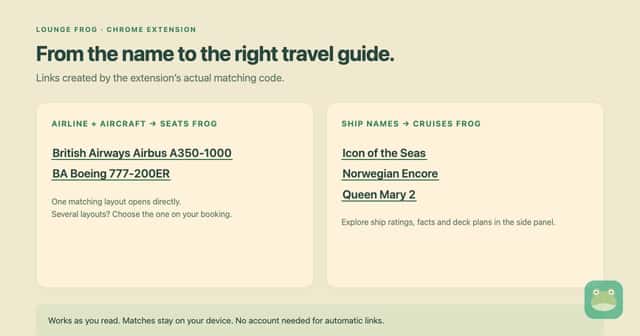
The extension ships with a catalog of 746 cruise ships. When a ship name such as Icon of the Seas, Norwegian Encore or Queen Mary 2 appears on a page, it becomes a link to that ship on Cruises Frog.
Some ship names are a single ordinary word. To avoid false links, those names only link when nautical words appear nearby. The extension refreshes its catalogs daily.
Deck plans and cabins to avoid
Click a ship link and the side panel opens on its Ships section. From there you can:
- Explore the ship and its line's fleet.
- Open deck plans to see where cabins sit.
- Check "Cabins to avoid" before you pick a stateroom.
You can browse every ship in the catalog on the ships page.
Flights to the port, too
Many cruises start with a flight. The same extension links airport codes, airline codes and aircraft names to Lounge Frog and Seats Frog. That means you can check lounges at your departure airport or look at the seat map for your flight in the same panel. The Points section can estimate what a loyalty balance is worth, if you plan to use points for the trip. Those values are estimates.
How to install it
- Open the Chrome Web Store listing and add it to Chrome. It is free and needs Chrome 116 or newer. The developer says it also works in Edge, Brave and other Chromium browsers.
- Open or reload a page that names a ship.
- Click the highlighted name to open the ship in the side panel.
- Sign in on loungefrog.com if you want your home airport and programs shown. No account is needed for ship links.
Privacy
According to the store listing, page text is matched inside your browser and is never uploaded. The extension does not collect browsing history, does not track you, runs no analytics and does not download executable code. It stores catalog data, your settings and your site choices locally. If you sign in, it also stores a session token, which goes only to the Lounge Frog API.
Turning it off
If a site gets links you don't want, switch linking off for that site and its subdomains, or turn it off everywhere. The extension skips form fields, code blocks and editable text, and it leaves existing links as they are. Text drawn on a canvas can't be linked. Linking is always off on Cruises Frog and its sister sites, so you won't see doubled links here.
Deck plans and cabin advice come from published ship layouts. Check your booking and the cruise line before you choose a cabin. More details are on the extension page.